GoTimer for Palm PDA
A game clock written for the Palm PDA running PalmOS for the wonderful
game of Go. Also known as Igo, Weiqi and Baduk.
It has support for canadian and japanese byo-yomi, and has
configurable warning beeps.
Usage
See the screenshots below to see how the game clock works. The players
look at a rotated Palm PDA and the game clock is displayed in the half
of the screen closest to them. They use button 1 (player 1) and button
4 (player 2) to stop their respective clocks. Your time is displayed
in a larger font size and your opponents above in a smaller size. A
black square indicates who is the active player (the active player
will press his button next).
The player which starts the game presses his button twice
in the start of the game. Once to start his clock and a second time
to stop his clock / start the opponent's clock.
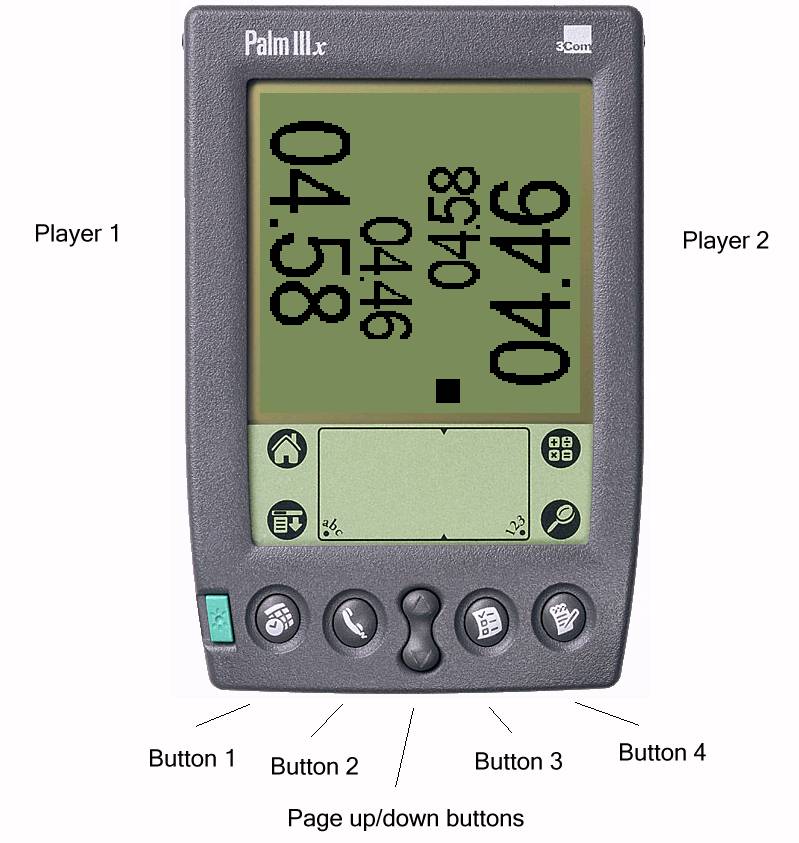
Picture showing the buttons 1, 2, 3, 4 och page up/down. Player 1
is using button 1 and player 2 is using button 4 to stop their
respective clocks. Page up/down is pause. Player 1 is viewing the left
half of the screen, and player 2 the right half.
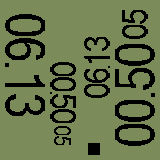
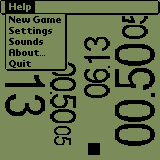
We see that player 2 has entered byo-yomi. If it's japanese byo-yomi it means that he has 5 periods left (each period being at least 50 s) and if it's canadian byo-yomi it means that he has 5 moves left to play within 50 s.
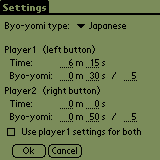
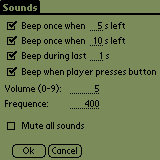
It's possible to set different time for the two players. Japanese,
canadian and no byo-yomi are possible byo-yomi selections. You may
turn of warning sounds or configure when they should beep.
If somebody loses on time a dialog pops up and indicates that the game is over. You may then press the continue button or press the "pause" hardware button to close the dialog and continue playing. The player that lost on time will receive an extra period in japanese byo-yomi and a extra period with the configured set of moves in canadian. In the case of no byo-yomi, the clock will be reset and must be started again.
The software has been tested on a Palm IIIxe with PalmOS 4.0.
Update 18-09-2004
New version 0.22 released: Added option to configure which hardware buttons to use
Update 23-06-2003
I tried to run the program using an emulator with PalmOS 3.51, it seemed to work fine.
Update 17-11-2003
New version 0.21 released: Added visual warnings and fixed some bugs.
Download
The software is freeware, you may freely redistribute the archive. It
is distributed "AS IS", use at own risk.
gotimer-v0.22.zip version 0.22 (18 September 2004)
gotimer-v0.21.zip version 0.21 (17 November 2003)
The included "readme.txt" contains most of the information found at this
page.
Installation
Unpack the archive and install the "gotimer.prc" file via the Palm Desktop software.
To be done in the future, perhaps
-
Better warnings during canadian byo-yomi.
-
Make it possible to add time to the opponent during play.
- Calc total time for the game, average time used for each player etc.
Known bugs/limitations
- The software does not work with PalmOS versions prior to version 3.5.
- The game clock will only display time up to 99 minutes correctly, as there only exists two digits for showing minutes. The minutes settings field in the "settings" dialog, has therefore been limited to only accept two digits. The easiest way to allow longer playing time would be to just draw the two least significant minutes digits and not display the most significant digits. If the 99 min limit per player turns out to be a problem I should probably change the graphics layout and include an hour digit as well.
- Sometimes there isn't any sound (when sound is enabled) as the player presses his button to stop his clock and start the opponents clock. Even if there is no beep, the game clock works correctly and the other player's clock starts. Don't know why the PDA doesn't beep though.
- Please report other bugs to me.
The software has been developed by Fredrik Sundström. Send questions and suggestions to me, email me at frocke at ludd.luth.se